GDPR
GDPR and personal data in rack photos
A rack photo targets equipment, not people. Yet it can capture a face, a badge or a name label. Here is how to limit this risk and what remains your responsibility.
Contents
What the platform actually processes
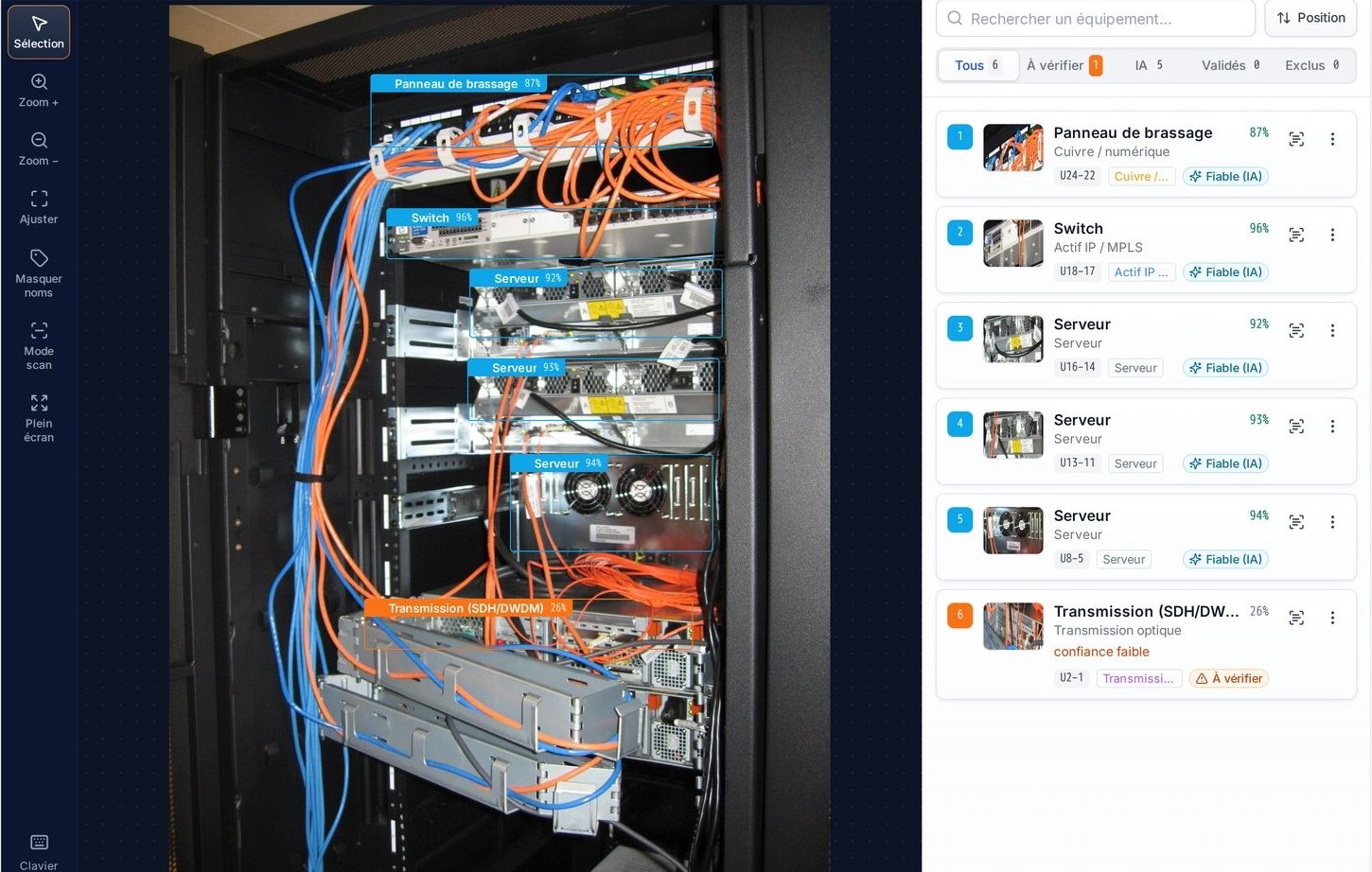
The platform needs only one thing to produce a survey: a front photo of the entire rack. If you wish, an export of your inventory can be added for the comparison. The analysis looks for equipment on the front face, its family, its U position and a confidence level; label reading targets the text carried on the devices. It does not look for faces, names or information about a person.
The only personal data needed for operation is that of user accounts: a name and a username. It is used to open a session.
A photo is still a photo, however. Taken in a room, it can contain elements that no one meant to capture. This is the point that needs careful handling.
What a photo can capture unintentionally
In the field, the most frequent situations are easy to anticipate:
- A face or a silhouette : a colleague in the aisle, a reflection on a glass door or on the front of a device.
- A badge worn or left on a device, with a name and sometimes an ID photo.
- A name label : name of a person in charge, direct phone number, email address stuck on a chassis or a door. Label reading can return their text.
- A document left on top of a rack: work order, schedule, visit sheet.
These elements add nothing to the inventory. Avoiding them when the photo is taken is the most effective measure, because data that was never collected does not have to be protected or deleted. Likewise, an inventory export may contain names of people in charge: upload only the columns useful for the comparison.
Minimize from the moment the photo is taken
The GDPR data minimization principle (Article 5) requires collecting only what is necessary. For a rack survey, this translates into a few instructions to give technicians:
Frame the rack, and only the rack
A front photo, the entire rack in the frame, the uprights visible. No need to widen to the aisle or the neighboring racks.
Check the aisle before taking the shot
Wait until no one is passing through the frame and avoid angles that produce reflections.
Remove what does not belong there
Badge, document, notebook left on a device: move them while the photo is taken.
Retake rather than keep
If a photo still captures a person or personal information, it is retaken, preferably before sending; an analysis already saved is deleted from the History.
These instructions can be included in the sheet given to technicians before their surveys.
Who is the controller
The platform is installed on your servers, in containers. Photos, analysis results and accounts are stored on your infrastructure. You decide how they are used: you are therefore, as a general rule, the controller within the meaning of the GDPR.
In practice, this means that several items fall to you:
- The legal basis for the processing (Article 6): for the inventory of your own estate, legitimate interest or the performance of an internal task are often considered. The choice is up to your DPO.
- The entry in the record of processing activities (Article 30), with the categories of data (user accounts, room photos) and their retention periods.
- Informing the data subjects : the users of the platform and, where applicable, the staff present in the rooms.
- The data protection impact assessment (Article 35), if your DPO considers it necessary. An equipment inventory does not target people, but the assessment is up to you.
If support from us involves access to your data, this is set out in the contract, under Article 28. It is to be specified within the project.
What the platform provides to help you
Several design choices support data protection:
- Photos stay on your servers: no online service is required to analyze a photo.
- Accounts are created by an administrator: no open sign-up, no account opened without your consent.
- An analysis is deleted from the History, and an automatic purge erases analyses at the end of their retention period.
- The inventory file uploaded for a comparison is not kept on the server.
- Accounts contain only what is strictly necessary: name and username.
For any question, or to receive the description of the processing within a project, write to us.
This page describes the product and how it is designed. It does not constitute legal advice: check how it applies to your context with your DPO, your CISO or your counsel.